






Téléportation dans Minecraft : commandes et méthodes
Minecraft teleportation allows for instant movement between locations, a valuable tool for efficient exploration, avoiding danger, and navigating between bases or game areas. The methods available depend on the game version. This article details each method.
Read also: How to travel to the Nether via the portal
Table of Content
- General Information on Teleportation in Minecraft
- Teleportation in Survival Mode
- Teleportation via Command Blocks
- Teleportation on Servers
- Common Errors and Solutions
- Tips for Safe Teleportation
General Information on Teleportation in Minecraft
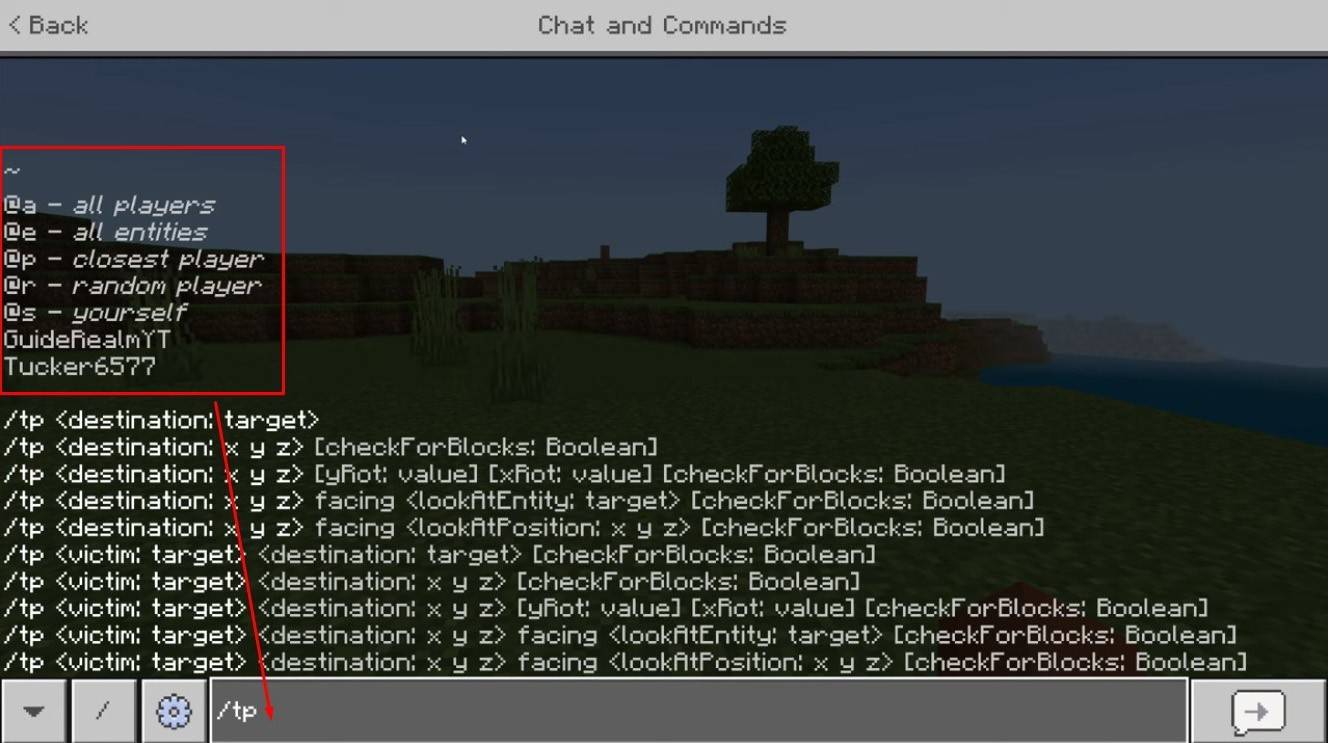 *Image: youtube.com*
The primary command is "/tp," offering variations and parameters for precise control. You can teleport to players, specific coordinates, or even control viewing direction. Creature movement is also possible!
Here are the command's key features:
| Command Name | Action |
|---|---|
| /tp | Teleports you to another player. |
| /tp | Allows server admins/operators to move a player. |
| /tp | Teleports you to specific world coordinates. |
| /tp | Sets viewing direction (yaw - horizontal, pitch - vertical). |
| /tp @e[type= | Teleports all creatures of a specified type to given coordinates. |
| /tp @e[type=creeper,limit=1] | Teleports only one of the nearest creatures of the specified type. |
| /tp @e | Teleports all entities (players, creatures, items, boats). Use cautiously; it can lag the server. |
On servers, command availability depends on player permissions. Operators and administrators have unrestricted access, while regular players require authorization.
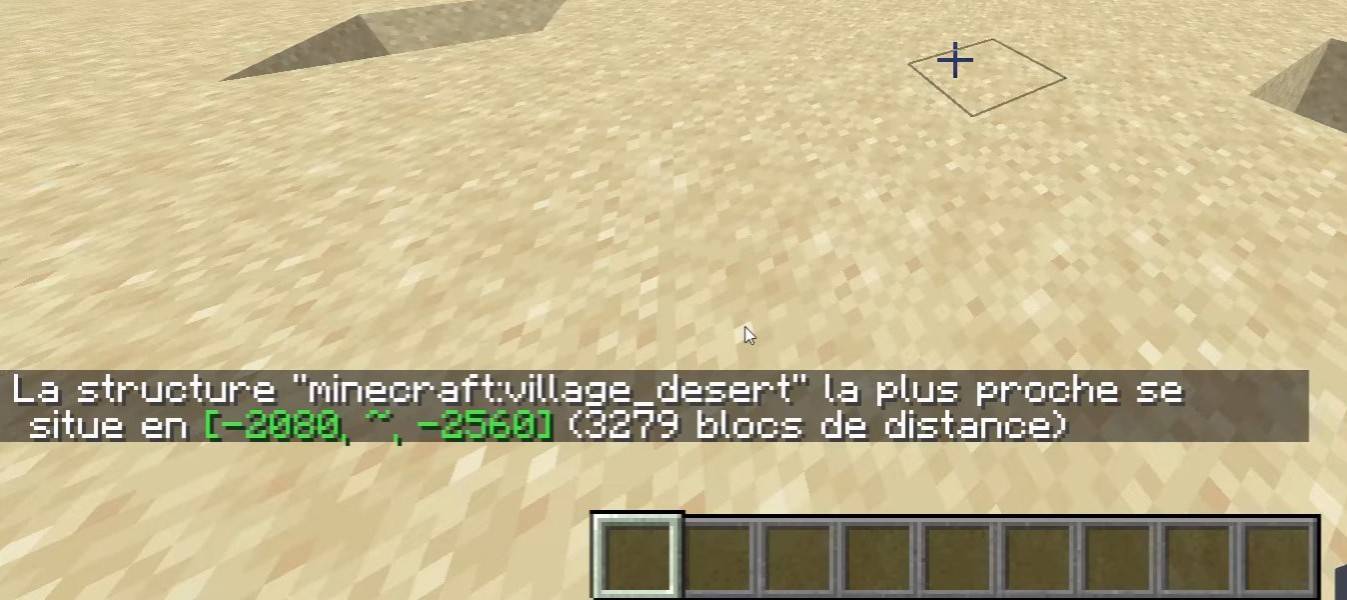 *Image: youtube.com*
The "/locate" command is frequently used to find structures (villages, fortresses). Combined with "/tp," it quickly identifies and teleports you to a location.
Teleportation in Survival Mode
This command is disabled by default but can be enabled by activating cheats during world creation, using a command block, obtaining admin rights on a server, or installing plugins like EssentialsX.
Teleportation via Command Blocks
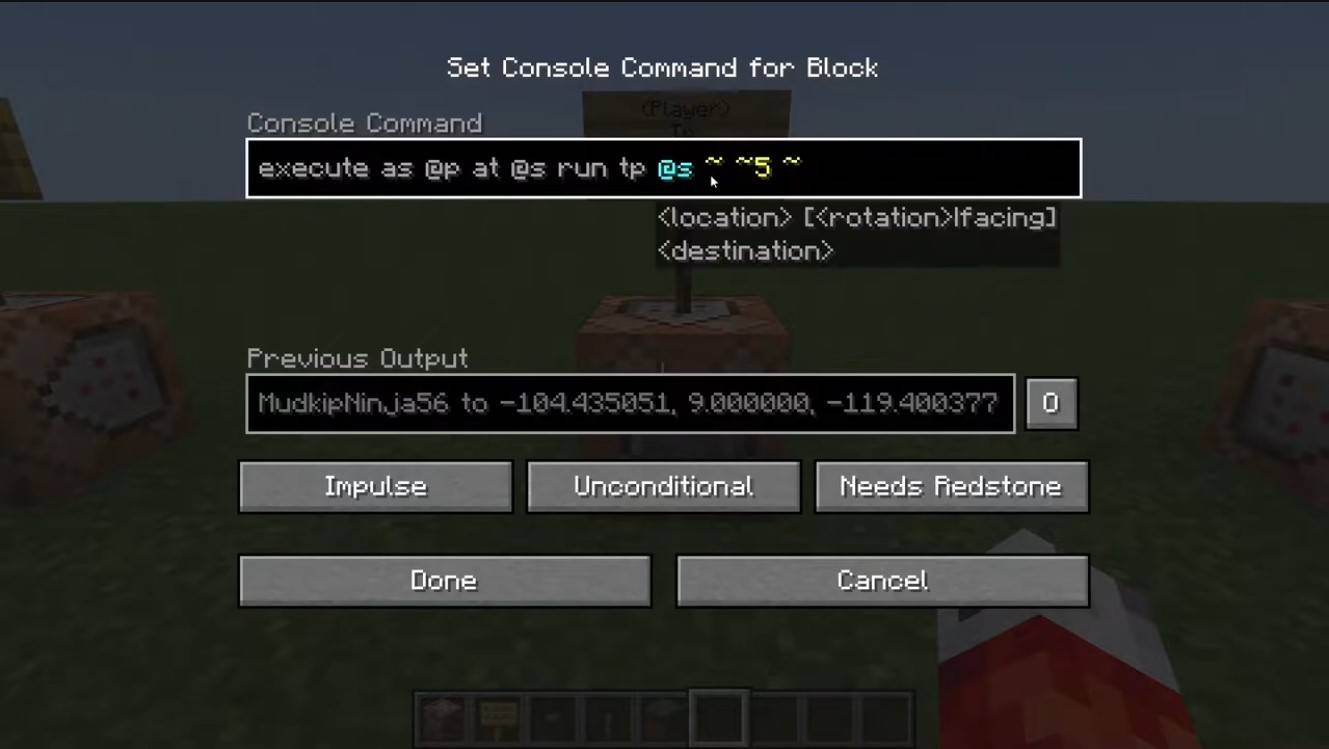 *Image: youtube.com*
Command blocks automate teleportation. In multiplayer, enable them in server settings, then obtain a block using "/give @p command_block". Place the block, enter the desired command, connect a lever or button, and your custom teleporter is ready!
Teleportation on Servers
Servers often use specialized commands; availability depends on your role. Administrators, moderators, and donors usually have more options, while regular players face restrictions.
Common server commands include:
- "/spawn" - Returns the player to the server's spawn point.
- "/home" - Teleports the player to their saved home.
- "/sethome" - Sets a home point.
- "/warp" - Teleports to a predefined warp point.
- "/tpa" - Sends a teleport request to another player.
- "/tpaccept" - Accepts a teleport request.
- "/tpdeny" - Rejects a teleport request.
Before teleporting, check server rules; some impose restrictions, delays, or penalties for teleporting during combat. If a command fails, check your permissions with the administration or explore alternatives.
Common Errors and Solutions
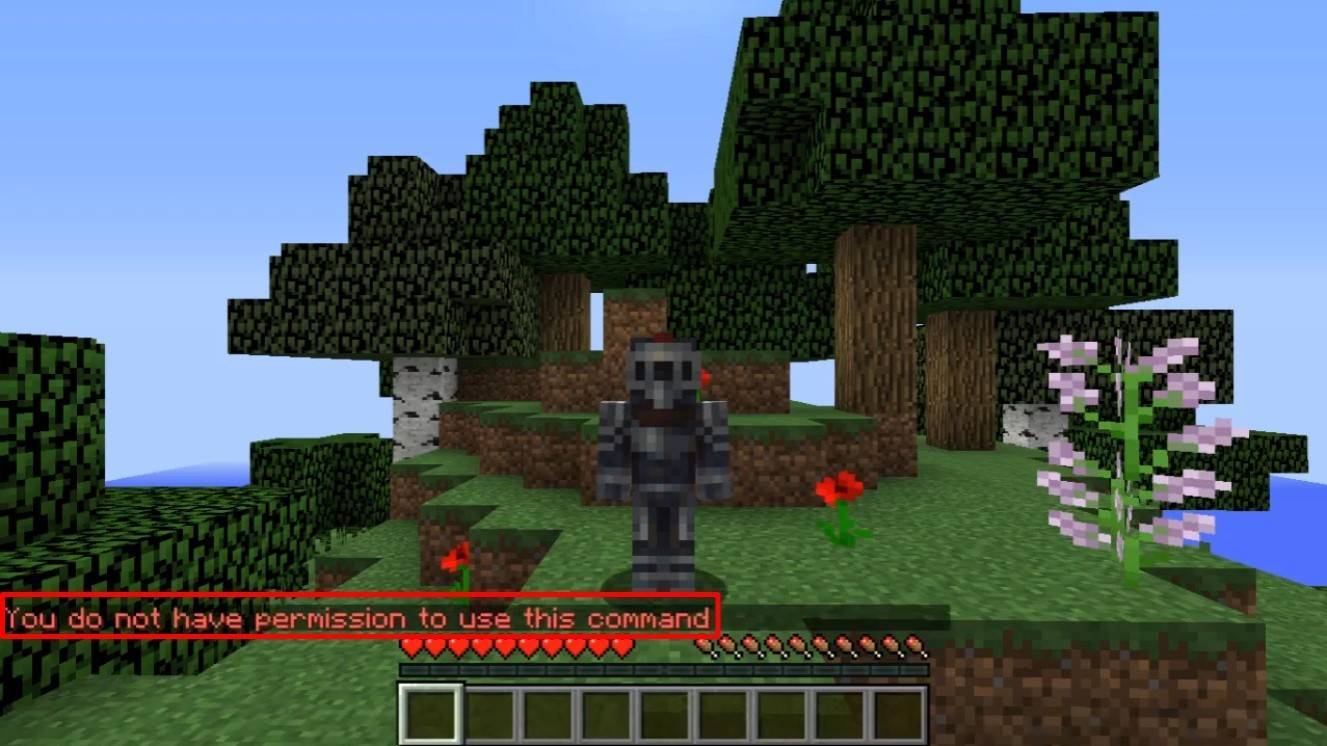 *Image: youtube.com*
"You do not have permission" means you lack the necessary rights. Request admin permission or enable cheats in single-player mode.
"Incorrect argument" indicates a command or argument error; double-check your input. If you end up underground, ensure the Y coordinate isn't too low (64 or higher is recommended). Delays might be due to server settings intentionally added to prevent cheating.
Tips for Safe Teleportation
Ensure your destination is safe. On servers, use "/tpa" to avoid accidental movements. Before exploring new areas, set a return point with "/sethome". When teleporting to unknown locations, carry potions or a totem of undying for safety.
Minecraft teleportation is a convenient tool for navigation and gameplay. Commands, plugins, and command blocks facilitate efficient travel. Use it wisely to avoid disrupting the game experience!
Main image: youtube.com
-
 Jan 11,25Teamfight Tactics drops patch notes for final update of Inkborn Fables in version 14.14 Teamfight Tactics Patch 14.14: Final Inkborn Fables Update Details Unveiled! Get ready for the final chapter of Inkborn Fables in Teamfight Tactics with patch 14.14! Riot Games has revealed exciting changes, including a significant increase in encounter frequency and adjusted encounter rates. Prepa
 -
 Feb 11,25Pokémon Go Celebrates New Year's 2025 Pokémon Go Rings in 2025 with a Festive New Year's Event and More! As 2024 concludes, Niantic is celebrating the arrival of 2025 in Pokémon Go with a special New Year's event. This precedes the Fidough Fetch event and the highly anticipated Sprigatito Community Day. Kicking off the new year is the
 -
 Jun 14,25Pokémon Launches Real Pokédex Encyclopedia Crafted by Ecologists and Behaviorists Get ready, Pokémon fans—The Pokémon Company is stepping into the world of science with a brand-new official encyclopedia written by expert animal ecologists and behaviorists. Discover what Pokécology has in store for trainers and researchers alike.Pokécology: An Official Encyclopedia For Pokémon Beh
 -
 May 05,25Pokémon Go Tour: Unova Reveals Exciting New Details Get ready for an exciting journey as the Pokémon Go Tour: Unova approaches, bringing a host of new features and updates to the game. Whether you're a fan of new music, exclusive avatar items, or thrilling Special Research, there's something for everyone as you dive into the world of Unova and its Po